



More glow. More bounce. Care that fits your skin.
Bring a fresh glow to dull-looking skin, soften the look of uneven texture and give a less bouncy complexion focused care. Medicube AGE-R Booster Pro brings four distinct modes into the skincare routine you already enjoy.
Choose Booster for radiance, MC for plumper-looking skin, Derma Shot for facial definition, or Air Shot for pore and texture appearance. Start with your main skin goal and follow the preparation and movement for that mode.
Begin at level 1 and build a comfortable routine. Consistent, gentle use lets you focus on how refreshed your skin looks and feels without making every session longer or stronger.

Original Booster Pro shown in use with a smartphone. The phone illustrates connected care and is separate from the device package.
Choose your care goal.
Booster, MC, Derma Shot and Air Shot each bring a different cosmetic-care focus. Get to know their directions, then choose the mode that belongs in your session.
Begin at level one.
Start gently and build familiarity with the controls. The selected mode, intensity and care time are visible on the display.
Make the session personal.
Bluetooth app controls add a way to adjust supported settings, follow guidance and review your routine.
Choose the change you want to see.

Air Shot Mode
If pores and rough-looking texture draw your attention, Air Shot offers a separate surface-care step. Use it on cleansed, completely dry skin before skincare, lightly grazing with the edge of the head. Follow its weekly schedule rather than treating it like a daily serum mode.

Booster Mode
For the glow you love after moisturizing, Booster Mode works with suitable skincare to support absorption and a luminous-looking finish. Apply your skincare first, then use gentle circular, outward movements. It is a way to give your hydrating layers a little more attention.

MC Mode
When skin looks less bouncy, MC Mode focuses on a plumper-looking complexion and visible definition. Use the microcurrent mode with skincare and follow upward, outward movements with the head in contact as directed. The goal is refreshed-looking skin with a comfortable technique.

Derma Shot Mode
Derma Shot offers dedicated EMS care for the appearance of facial contours. Use its slow movement and brief instructed pauses over approved areas. This is a different cosmetic goal from radiance or exfoliation, so learn its positioning rather than borrowing another mode’s technique.
Mode visuals illustrate the manufacturer’s cosmetic-care positioning. Read the application guide for the movement and preparation that belong to each mode.
A comfortable session is easier to keep.
The four care modes let you work toward different skin goals, while LED and sonic vibration help personalize the experience. You do not need to use every function to make your routine worthwhile. Start with the care your skin needs and settings you understand.

LED light
The guide shows five LED colour options. App controls let you change the light settings without adding another device to your skincare shelf. The original system also includes a skin-contact sensor. Keep the head appropriately clean and avoid direct eye exposure; skincare residue can affect contact sensing.
Sonic vibration
Mode-specific vibration adds another adjustable part of the experience. Through the AGE-R app, you can switch vibration on or off. Get to know the feel at a low intensity first. A setting that you understand and find comfortable is more useful than chasing the strongest sensation.

Keep your session in view.
See the mode, intensity and care time at a glance, alongside battery and Bluetooth indicators. Check the mode name before placing the head against your skin so each session starts with the right preparation.
Five intensity levels give you a clear starting point: level 1. Move upward only when appropriate for the instructions and your comfort. At the five-minute point, the mode-change screen helps you pause and decide what comes next. Time on the screen is a guide to the session, not a reason to keep going through discomfort.
Notice your skin. Find your rhythm.
A regular routine is easier to follow when you can remember what felt good. The AGE-R app helps you keep track of sessions and adjust supported settings, so your device time can fit around your skin’s needs and your day.
Use your notes and progress photos to notice gradual changes in radiance, texture or suppleness. Keep lighting and positioning similar when comparing pictures. That makes your own experience easier to judge than changing several settings at once.

Turn on the device.
With Booster Pro switched on, open the AGE-R app on your phone. Confirm that you are connecting the original Booster Pro model.
Follow the pairing steps.
Choose the Booster Pro connection option and follow the app’s prompts. Keep your device nearby while pairing.
Explore supported controls.
Adjust settings such as LED colour, vibration and sound through the compatible app. Use the guidance and usage records to make the session easier to follow.
The smartphone and app display are illustrative. App features and screens can update; follow the controls available for your device and app version.
A clear sequence for your next session.
01 — Prepare your skin and device
Read the supplied manual and check that the head is clean. Cleanse your skin. If Air Shot is part of this session, wait until the skin is completely dry and use it before applying skincare. For the other modes, prepare suitable skincare instead.
02 — Choose the mode and level
Switch on the device, select the intended mode and start at level 1. Confirm the selection on the screen. Choose the mode you have prepared for; dry-skin Air Shot and the skincare-assisted modes use different techniques.
03 — Follow the movement
Use the instructed movement for the selected mode: a light edge sweep for Air Shot, circular outward movement for Booster, upward outward movement for MC, and slow movement with brief instructed pauses for Derma Shot. Keep the motion gentle and deliberate.
04 — Finish and put the device away
End the session within the relevant guidance and your comfort. Switch off, clean the head as directed and store the device dry. Keep the manual accessible so a question about a mode or setting is easy to check before the next session.

Keep Air Shot dry.
Use Air Shot on cleansed, completely dry skin before applying skincare. Lightly graze with the edge of the device head, following the original mode’s guide.
Continue with skincare.
Use suitable skincare for the other three modes and follow their own movements. When combining modes, use Air Shot → Booster → MC → Derma Shot.
Know the cadence before your first session.
Air Shot cadence
The manufacturer lists Air Shot for five-minute sessions, two to three times weekly. The original guide also advises a two-to-three-day break between uses. Put those intervals into your calendar so Air Shot keeps its distinct place in the week. Dry preparation matters every time you choose it.
Other mode cadence
Booster, MC and Derma Shot are listed for five to ten minutes per session, one to three times daily. Treat these as manufacturer guidelines to adapt to your skin condition and supplied manual. You can choose a focused session; the schedule does not require you to use every mode at the maximum frequency.
When combining modes, follow Air Shot, then Booster, then MC, then Derma Shot. Begin with the parts of the routine you understand. A clear record of your chosen modes and timings can make the weekly pattern easier to maintain.
Use the supplied manual to guide your session and adjust to your skin’s condition. Choosing a mode for a purpose is more useful than automatically treating every mode as a daily requirement.
Add radiance to your moisturizing routine.
A skincare-assisted session should leave your routine feeling more considered, not complicated. Choose suitable hydrating products you already tolerate and prepare enough slip for the selected mode. Air Shot stays a separate step on fully dry skin before those layers.
If skin is feeling tight or reactive, make comfort your priority. A familiar moisturizing routine and a gentle starting level give you a clearer sense of how the device feels on your face.

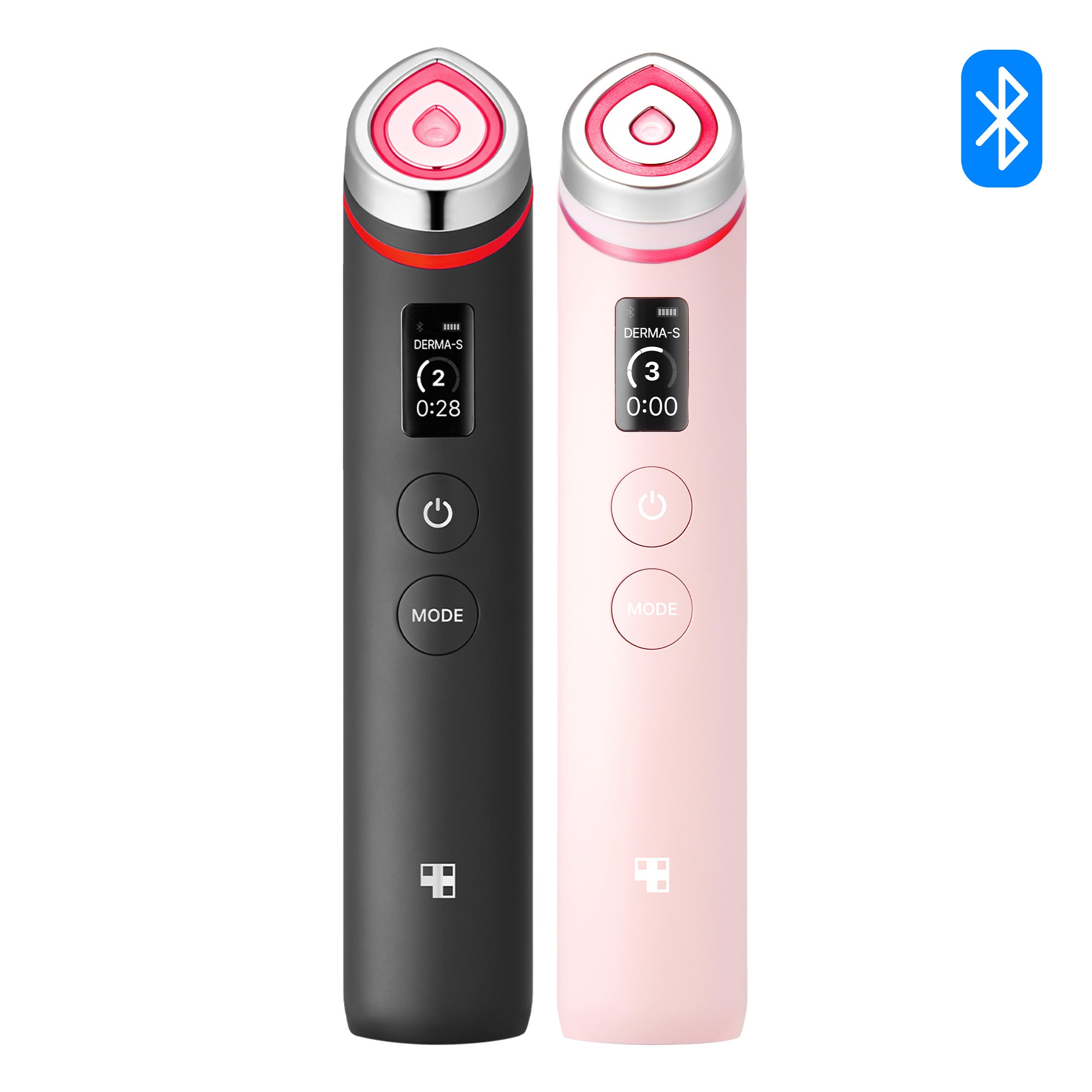
Original Booster Pro finishes shown for reference. Choose Black or Pink in the product options.
Keep your device ready for next time.
USB charging
The package includes a USB charging cable. Check the rating and charging directions supplied with your actual unit before connecting it to a power source. The device does not operate while charging. The battery indicator gives you a straightforward way to check whether it is ready for your next session.
Cleaning
After use, gently remove skincare residue from the head with a suitable soft cloth or wipe, following the supplied care instructions. Do not rinse or wash the device with water. Careful cleaning keeps the application surface ready for the next use without treating the device like a washable skincare container.
Storage
Store the device dry at room temperature in a ventilated place, as directed by the manufacturer. Keep the cable and manual together where you can find them. A simple place for charging, care and storage makes the device easier to include in your routine without leaving it beside a wet sink.
Read the precautions. Start with the basics.
Review all supplied precautions. Avoid the central front-of-neck area, wounds, and areas affected by recent procedures or surgery. Follow low-level guidance for delicate areas and stop if the session causes discomfort. Manufacturer AGE-R guidance advises against pregnancy use and recommends professional advice for implanted materials or recent procedures.
If a health condition or procedure makes suitability unclear, check with a qualified clinician before using the device. The mode descriptions here explain cosmetic goals; they do not replace the full instructions or promise a particular result for every person.

The device. The essentials to begin.
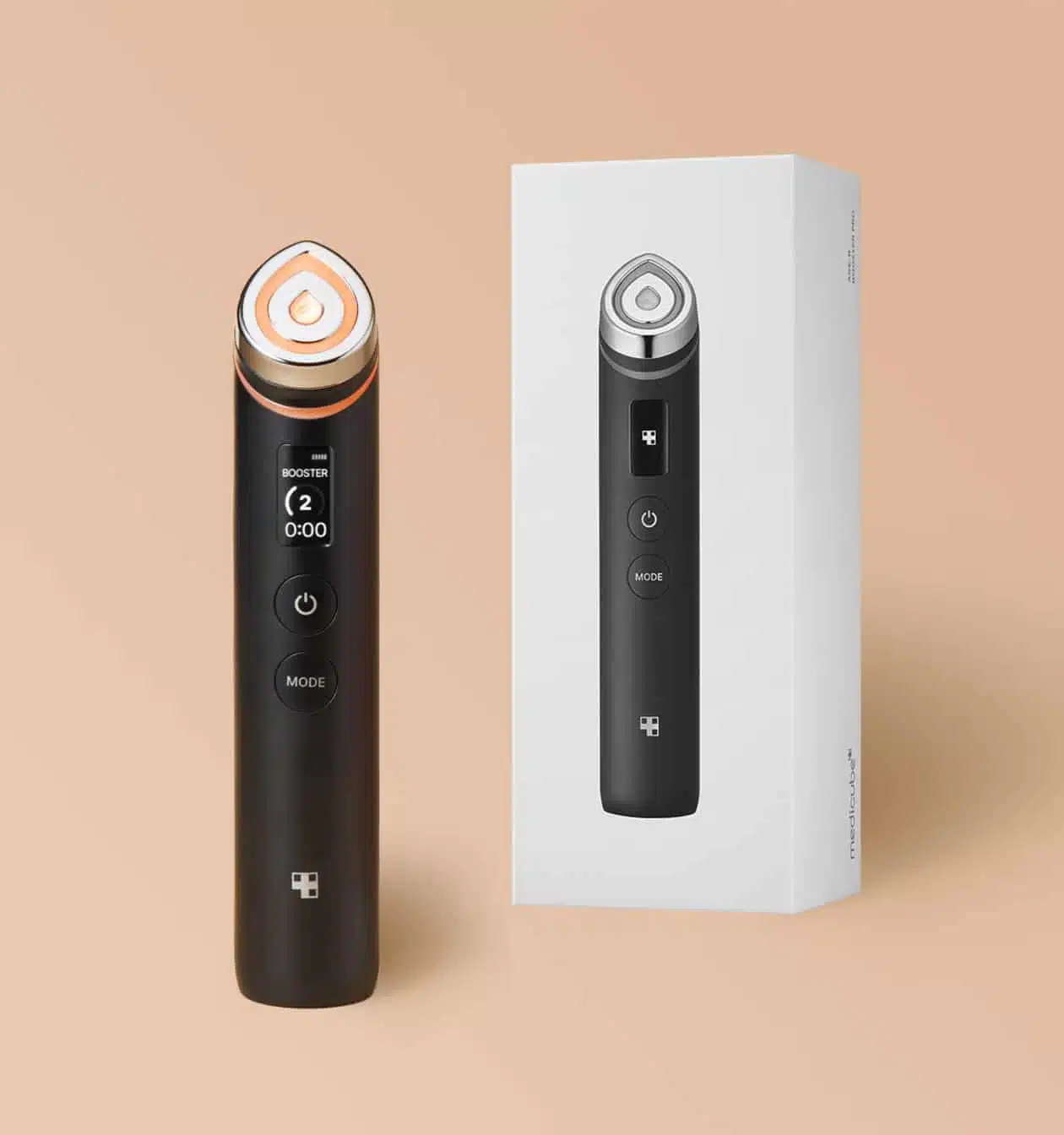
Each piece includes an original AGE-R Booster Pro device, a USB charging cable and a user manual. Skincare is a separate product choice. Official photographs may show different finishes to illustrate the design. The finish supplied matches the product selection.
The original device is a distinct model within the wider Medicube AGE-R range. Booster Pro X2, Mini and Mini Plus have their own specifications and guides. Match the exact model name when comparing features or looking up directions for the unit you own.
AGE-R Booster Pro
Manual + USB cable
Understand the device. Choose the steps around it.
Choose skincare by texture, purpose and its own directions. Our Medicube Collagen Jelly Cream guide introduces a jelly moisturising format, while the Medicube Triple Collagen Cream guide explores a richer cream feel. Read each guide before deciding what belongs on your shelf.
You can also explore the Medicube AGE-R collection overview to understand the wider device family. Product comparisons are easier when the model, mode count and routine are clear. Keep the original Medicube Booster Pro name in view as you browse.
Explore a jelly texture.
Read the Medicube Collagen Jelly Cream guide to understand its texture, formula highlights and moisturising role. Choose skincare through its own directions and the selected device mode.
Compare a richer cream.
Discover Medicube Triple Collagen Cream and its richer moisturising feel. The individual guide helps you compare textures and the product’s own application steps.
A clearer choice starts with a useful answer.
What can Medicube Booster Pro help my skin look like?
Its modes focus on different appearance concerns: Booster for a luminous finish with skincare, MC for plumper-looking skin, Derma Shot for facial definition and Air Shot for pore and texture appearance. Choose the mode that matches your concern and follow its preparation and schedule. Visible changes vary with your skin and routine.
What is included in the selection?
Each device comes with a USB charging cable and a user manual. Skincare products and accessories beyond those listed are not included.
Which mode belongs on dry skin?
Air Shot is used on completely dry, cleansed skin before skincare. The other three modes are used with suitable skincare. Prepare for the selected mode before starting the session.
Do I need a special gel?
A dedicated gel is not required. Choose suitable skincare for Booster, MC and Derma Shot, and follow the product and device instructions. Air Shot remains a dry-skin step.
How many intensity levels are there?
The original device has five levels. Begin at level 1 and adjust only as appropriate for the instructions and your comfort. Stronger intensity is not a requirement for a useful session.
Can I use every mode in one session?
When combining them, use Air Shot, Booster, MC and Derma Shot in that order. Follow each mode’s preparation and schedule. You can also choose a focused session without using every mode.
Can I wash the device after use?
Do not wash or rinse it with water. Gently wipe the head according to the supplied care instructions, then keep the device dry for storage.
Does Medicube Global ship internationally?
Yes. Medicube Global offers international shipping to all countries worldwide. Contact us with your destination if you need information about your delivery.
Is shipping fast?
Yes. Orders ship from South Korea after one business day of preparation. Delivery usually takes 1–3 days after dispatch. We cover shipping, customs duties, import taxes and carrier fees. Arrival can vary with the destination, customs processing and carrier conditions. Read our Shipping Policy for delivery support.
Where can I ask about the product or my order?
Visit our Contact Us page with the product name and your question. For an order enquiry, include the relevant order details so we can understand the information you need.
Make room for skin that looks refreshed.
Choose the original Booster Pro for a routine centered on radiance, smoother-looking texture and a bouncier appearance. Select your finish above, then start gently with the mode that matches your skin goal.


